
for AndroidOutgoing call barring, one number at a time
Block your own
outgoing calls.
Pick a number. Decide when calls to it should not go through — always, on certain days and hours, or after a set number of calls. NoDial ends the call before it connects. You can also block international calls by country, or block every outgoing call except the numbers you choose. Unlike your carrier's call barring, you decide per number and per country.

No account, no email · Android 10+
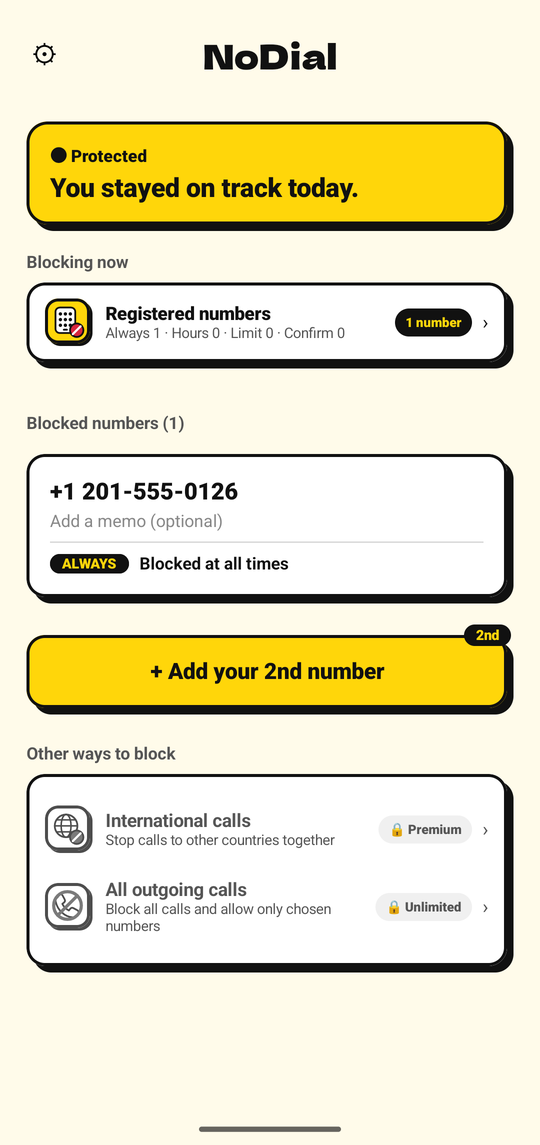
Five ways to block
01
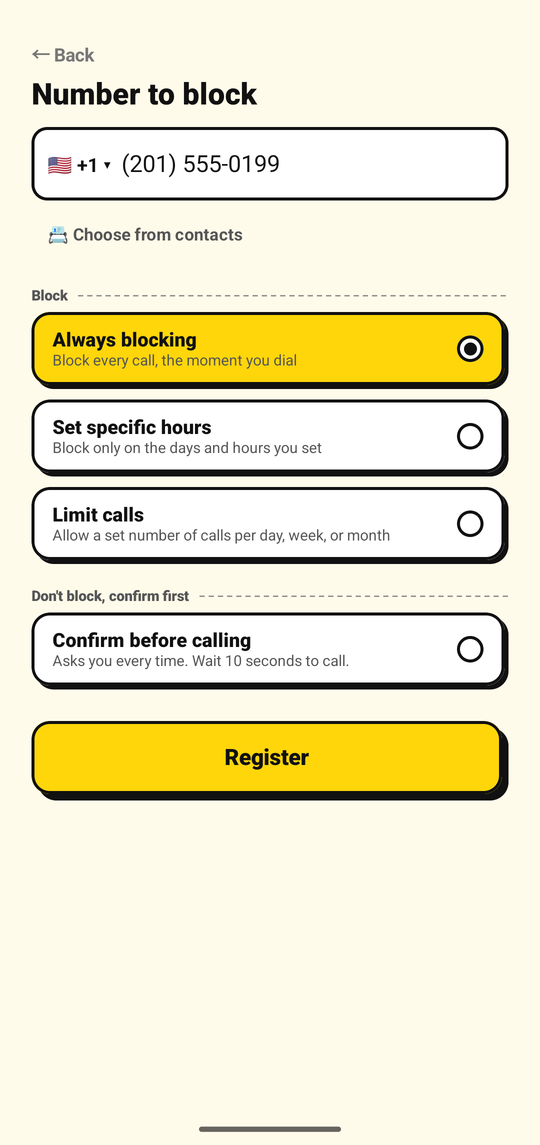
Block a number, all the time
Free
Register the numbers you don't want to call. From then on, every call to them ends before it connects. Your contacts stay exactly as they are.
02
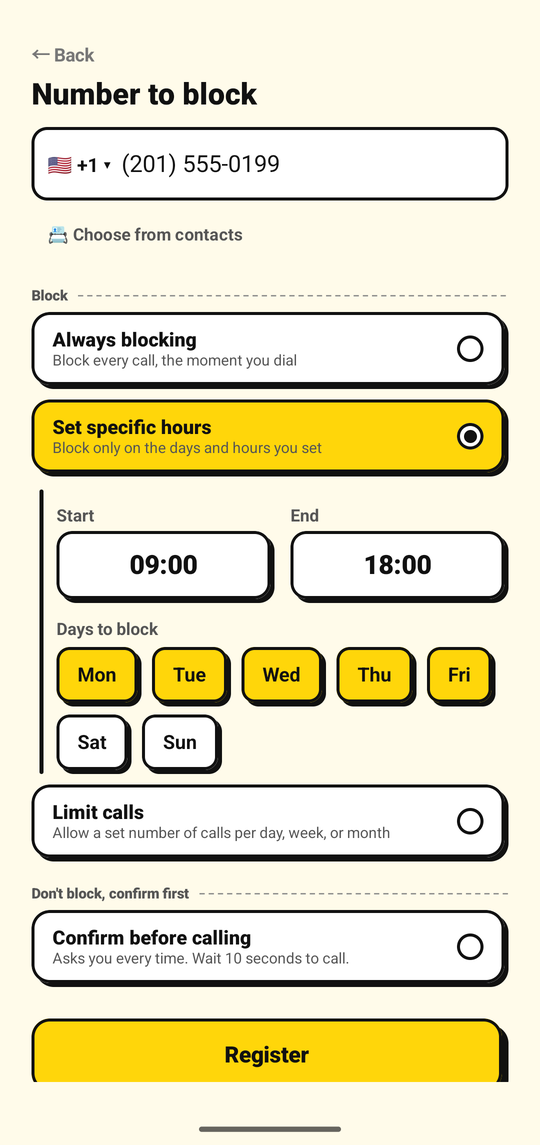
Block a number on a schedule
Free
Weekday work hours. Late nights. Weekends. Choose the days and the hours, and calls go through normally the rest of the time.
03
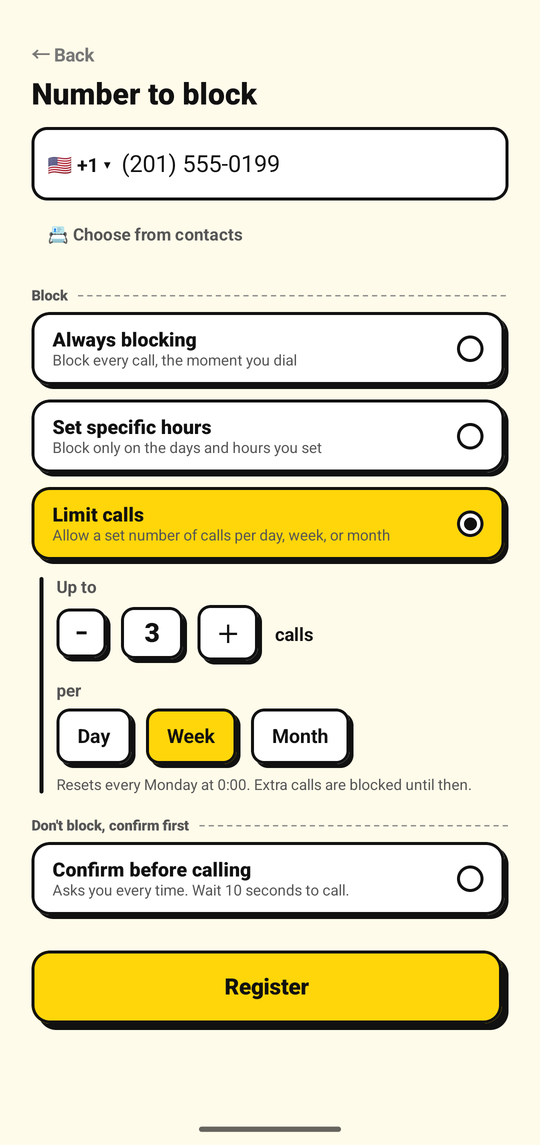
Limit how often you can call a number
Free
Allow three calls a week, or one a day. Once you reach the limit, the rest are blocked until the next period starts.
04
Block international calls
Premium and up
Stop outgoing calls to numbers in a country different from your phone's SIM. Choose which countries you still want to be able to call.
05
Block all outgoing calls
Premium Unlimited
Stop every call you make — always, on a schedule, or after a limit, your choice — except the numbers you allow, up to 20.
How it works
- 1Add a numberType it or pick it from your contacts, then choose how to block it.
- 2Turn protection onGive NoDial permission to screen your calls. Blocking starts immediately.
- 3The call won't connectDial the number by hand, tap it in a chat, use a shortcut — the call ends before it rings.
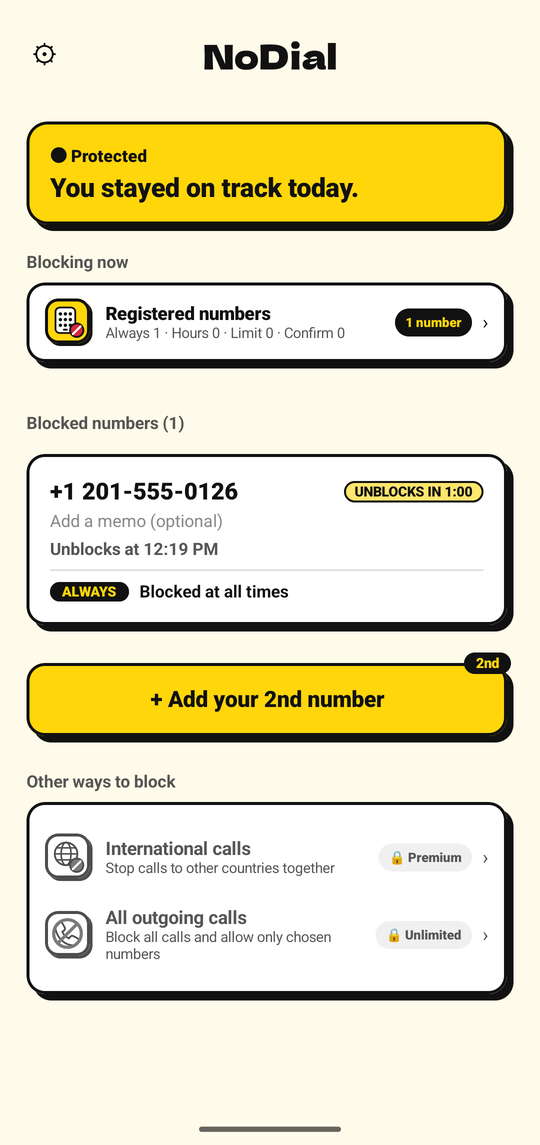
Want to unblock a number? Wait one hour.
Turning blocking off does not take effect right away. It takes effect one hour later, and you can cancel the wait at any time. Turning blocking back on is immediate.
That hour is the reason NoDial works. The moment you most want to call is rarely the moment you should, and an hour is enough for it to pass.
This one-hour wait is for per-number blocking. Turning off international call blocking or blocking all outgoing calls takes effect immediately — turning either one on is always immediate too.
Emergency numbers can never be registered and always go through.
FAQ
- Can I unblock a number whenever I want?
- Turning off blocking for a number takes effect one hour later. Turning it back on is immediate. The one-hour wait is the whole point: it gives you time to change your mind. International call blocking and blocking all outgoing calls turn off immediately instead.
- Does NoDial block incoming calls?
- No. NoDial only blocks calls you make. Calls from the blocked number still come through as usual.
- What about emergency numbers?
- Emergency numbers always go through. They cannot be registered in NoDial, and Android itself never lets an app interfere with an emergency call.
- Do I need to delete the contact?
- No. Keep the contact. Even if you dial the number by hand, the call ends before it connects.
- Does the app collect my personal information?
- No email address, name, or account is required. The numbers you register are sent to our server only in hashed form, so we never see the actual numbers. Details are in the privacy policy.
- Can I block only international calls?
- Yes. International call blocking, included from Premium and up, stops outgoing calls to numbers in a country different from your phone's SIM. You can allow specific countries so calls to them still go through. Turning it on or off is immediate.
- Can I block all outgoing calls and allow just a few numbers?
- Yes, with Premium Unlimited. Blocking all outgoing calls stops every call you make — always, on a schedule, or after a call limit, your choice — except the numbers on your allowed list, up to 20. Turning it on or off is immediate.
- What happens after I cancel Premium?
- Premium stays active until the end of the period you paid for. After that, one number keeps being blocked for free. You can choose which one in the app's settings; otherwise it is the first number you registered. The other numbers and international call blocking pause, and start again the moment you resubscribe. Blocking all outgoing calls also pauses; after you resubscribe, turn it back on in the app.
- What if I switch phones?
- The numbers you registered are stored on your phone, so add them again on your new phone. Premium is tied to your Google account — open NoDial while signed into the same account and it comes back automatically.
- Does it work on iPhone?
- No. NoDial is for Android 10 or later.
- Does NoDial also block calls to my home country while I'm abroad?
- Yes. International call blocking, included from Premium and up, has a switch for this, off by default. Turn it on and, while your phone is roaming — connected to a network in a country other than your SIM's country — calls back to your home country are blocked as international too. It does not apply when there is no signal. You can allow your home country too, and those calls go through as usual. Emergency numbers always go through.
Make the numbers you chose truly uncallable.
Android 10+