for AndroidScam link checker
NoLinkTrap: Scam Link Checker
See where a link really goes before you open it. Catch fake look-alike sites.
No account, no email · No ads · Android 10+
What NoLinkTrap does
01
See where a link really goes, before you open it
Free
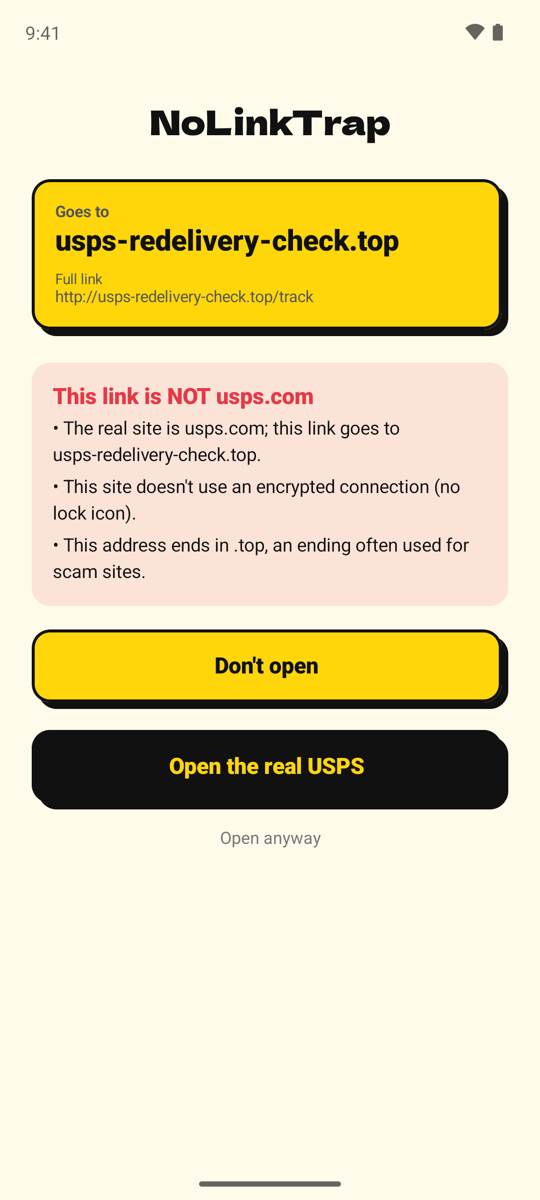
Set NoLinkTrap as your default browser and links you tap in texts and email come to it first. It unwraps links wrapped by services such as Gmail and looks up where short links really point, then shows the real destination in large letters before you decide.
02
Catches sites pretending to be a company they're not
Free: 1 check a day · 🔒 Premium: every link automatically
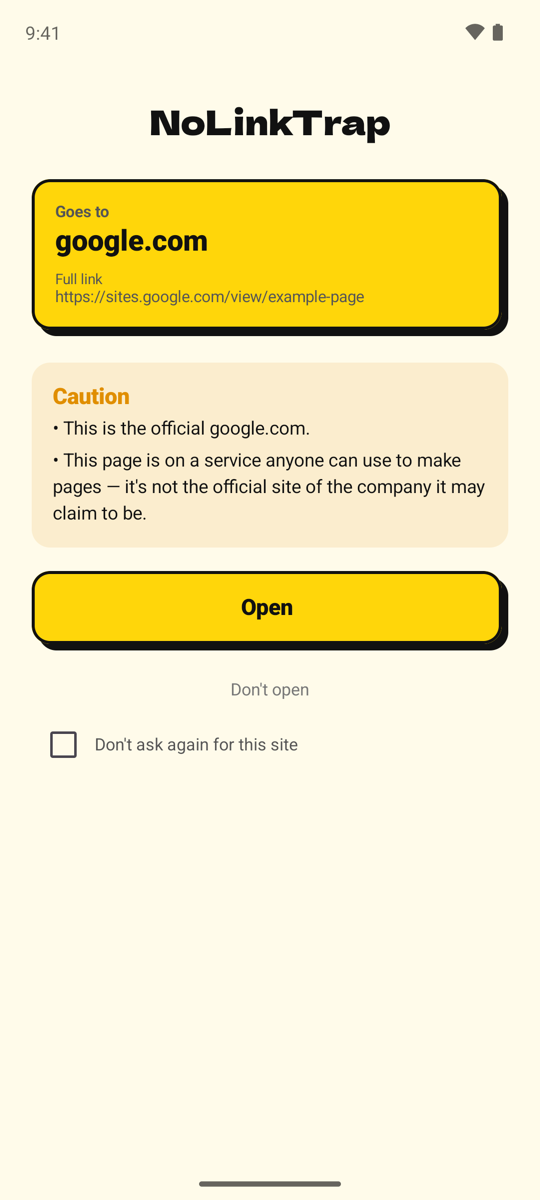
Tap "Check if it's fake" and NoLinkTrap compares the link to the official sites of well-known companies, and to look-alike characters, pages anyone can publish, and unusual address shapes.
03
Three honest results — never "safe"
Free
No known problems found, Caution, or This link is NOT …. NoLinkTrap never claims a link is safe: no checker catches every scam, so a clean result is a good sign, not a guarantee.
04
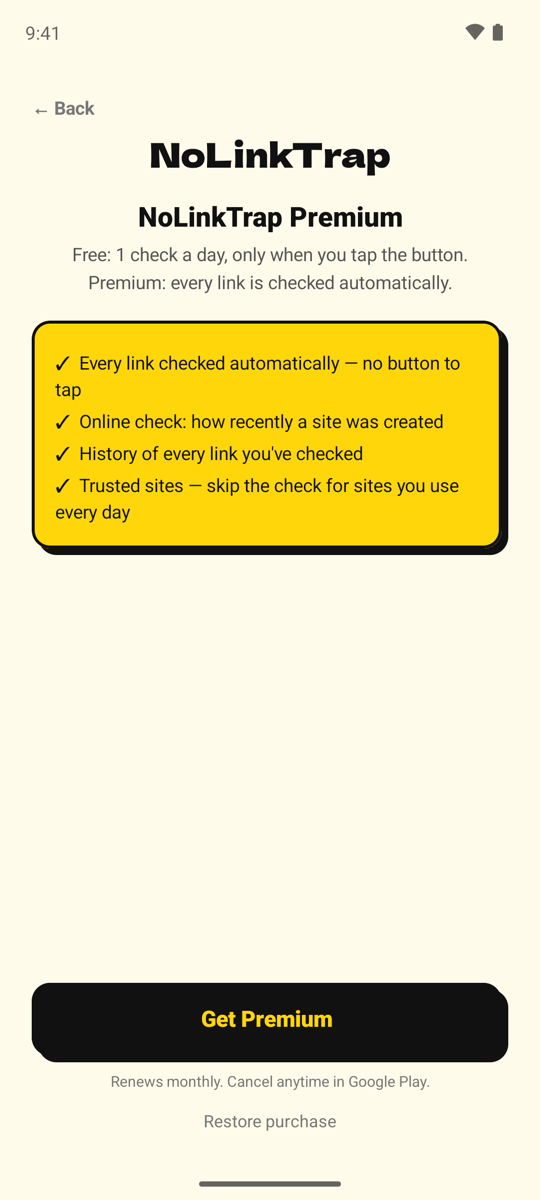
Premium checks every link automatically
🔒 Premium
NoLinkTrap Premium turns on automatic checking for every link, adds an online check of how recently a site was registered, keeps a history of the links you've checked, and lets you mark sites you trust so the check is skipped.
What it checks
- Official addresses
- Knows the official websites of well-known companies in the US and Japan — delivery services, banks, toll roads, PayPal, Amazon, Apple, and more. If a link uses a company's name but isn't on that company's real site, NoLinkTrap says so.
- Look-alike characters
- The number 0 used for the letter o, “rn” made to look like “m”, and letters from other alphabets that look like English ones.
- Pages anyone can make
- Warns when a link is on a service anyone can use to publish a page, so it isn't the official site of the company it may claim to be.
- Unusual addresses
- An address that's just a number (an IP address), a site with no encrypted connection, an “@” trick that hides the real destination, and endings often used by scam sites.
- Shortened & wrapped links
- Unwraps links that email services wrap in their own address (such as Gmail's), and looks up where well-known short links (bit.ly, tinyurl.com, t.co) really point — without opening the destination page.
- How recently a site was registered (Premium)
- An online lookup showing how new a site is. A very new site is treated with extra caution — never as proof of danger on its own.
How it works
- 1Set it as your browserNoLinkTrap asks to become your device's default browser app, so links you tap come to it first.
- 2Tap, share, or paste a linkOpen a link in a text message or email, share it to NoLinkTrap, or copy it and tap "Paste and check."
- 3Read the verdict and chooseNo known problems found, Caution, or This link is NOT … — then open it in the browser you've chosen, or don't open it.
Honest about what it can't see
NoLinkTrap never says a link is “safe” — only “no known problems found,” which is a good sign, not a guarantee. No checker can catch every scam. It shows no ads and never counts up “threats” to frighten you into paying.
Your links stay on your phone
There is no account and no sign-up. The links you open, the sites they go to, your history, and every check result stay on your phone — we don't receive them.
Two narrow exceptions make the checks work: a short link is sent only to its own shortening service to learn where it points, and with Premium, only a site's domain name (for example, example.com — never the full link) is sent to the public lookup service rdap.org. We use Google Analytics for anonymous usage statistics (never the link itself), and Google Play and RevenueCat to handle Premium.
See the privacy policy for details.
FAQ
- Is NoLinkTrap a web browser?
- No. It checks a link, then hands it to the browser you've chosen — Chrome or any other browser installed on your phone.
- Is NoLinkTrap an ad blocker or a VPN?
- No. It doesn't block ads or encrypt your traffic. It checks whether a link is pretending to be someone it isn't.
- What if I mostly open links inside other apps?
- In apps that show pages in their own built-in browser, choose “Open in browser” (wording varies by app) so the link comes to NoLinkTrap first.
- What do I need to use NoLinkTrap?
- Android 10 or higher.
- What happens if I switch phones?
- Subscriptions belong to your Google account: tap “Restore purchase” in NoLinkTrap on the new phone.
- Does uninstalling NoLinkTrap cancel my subscription?
- No. Uninstalling does not cancel the subscription. Cancel it in Google Play.
See where a link really goes, before you open it.
Android 10+