
for AndroidIncoming call blocker
NoCall: Blacklist Call Blocker
Spam & unwanted call blocker. Blacklist numbers and block calls from abroad.

No account, no email · Android 10+
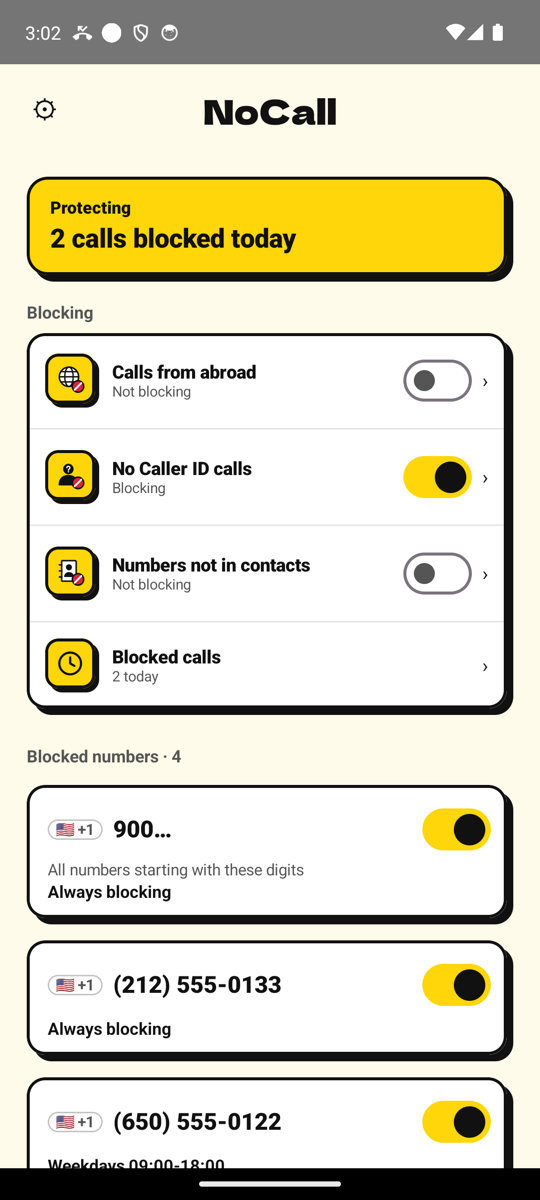
Ways to block
01
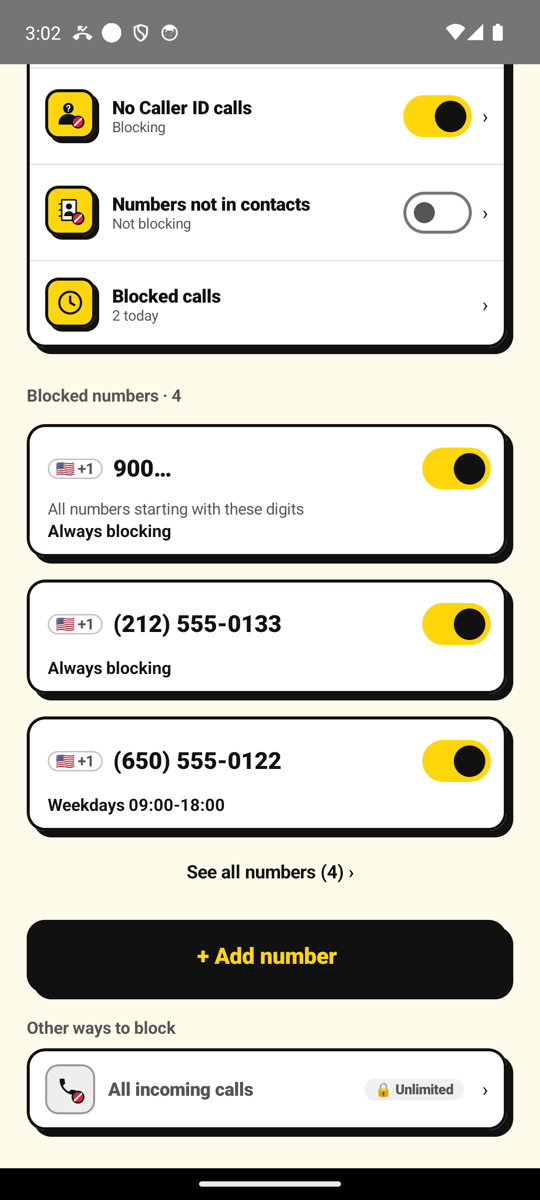
Block the numbers you choose
Free
Add the numbers you never want to hear from again. For each one, choose "always," "on these days and hours," or "let N calls through per day," and keep a short note. Add numbers by typing them, or pick them from your contacts. Calls from them are rejected before your phone rings.
02
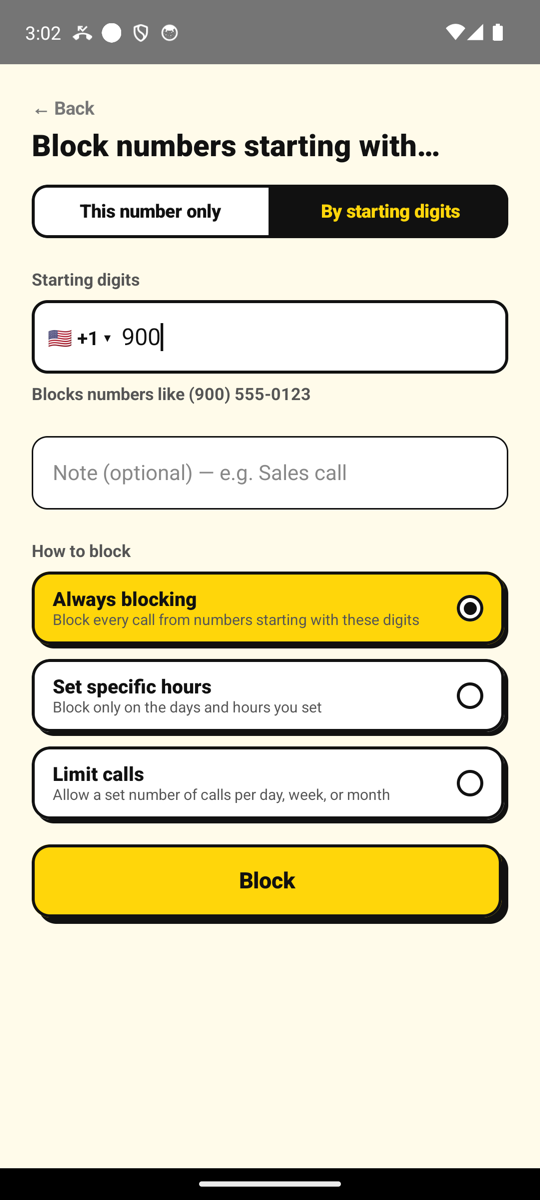
Block numbers that start with the same digits
🔒 Premium
Block every number that starts with the digits you choose — for example all 0120 toll-free numbers in Japan or all 900 numbers in the US. Numbers on your "Never block" list still ring.
03
Block No Caller ID
🔒 Premium
Calls that hide their number are rejected before they ring.
04
Block calls from abroad
🔒 Premium
Calls from numbers outside your country are rejected. Allow the countries you choose, such as where family lives.
05
Block numbers not in your contacts
🔒 Premium
Calls from numbers you have not saved are rejected. Put deliveries or your clinic on the "Never block" list so their callbacks still ring.
06
Block all incoming calls
🔒 Premium Unlimited
For focus time or days off, stop every incoming call. Only the people on your "Never block" list (up to 20 numbers) can reach you.
How it works
- 1Add a numberType it or pick it from your contacts, then choose how to block it.
- 2Turn on call screeningGive NoCall the call-screening role built into Android.
- 3The call is screened before it ringsAndroid asks NoCall whether to let each call ring, and NoCall decides right there on your phone. No VPN, no background tracking.
Your numbers stay on your phone
Your block list, notes, settings, and history are stored only on your phone and are never sent to us or anyone else.
"Numbers not in your contacts" asks for Android permission only when you use it, and all matching happens on the device. The only thing we send is anonymous usage data to improve the app — which screens are used, how many calls were blocked — never phone numbers.
See the privacy policy for details.
FAQ
- Does NoCall block internet calls like LINE or WhatsApp?
- No. Internet calls such as LINE or WhatsApp are not covered.
- Does NoCall block text messages?
- No. SMS and messages are not covered.
- What do I need to use NoCall?
- Android 10 or higher, and a device that lets you choose a call-screening app in Settings.
- What happens if I switch phones?
- Your block list stays on your phone and is not backed up to the cloud — add your numbers again on the new phone. Subscriptions belong to your Google account: tap "Restore purchase" in NoCall on the new phone.
- Does uninstalling NoCall cancel my subscription?
- No. Uninstalling does not cancel the subscription. Cancel it in Google Play.
Stop spam and unwanted calls for good.
Android 10+