How to See Blocked Calls on Android: When They Show in Call History and When They Don't (2026)
After you block a number, you may want to know whether that person really stopped calling, or whether you blocked a call you actually needed. On Android, where a blocked call leaves a trace depends on where it was stopped. The block list in your Phone app, the spam filter, a call screening app and your carrier's service each keep records differently. This guide goes through each one: where you can look afterwards, and where you can't.
 NoCall: Blacklist Call BlockerBlock unwanted calls before they ring.

 NoDial: Block Outgoing CallsBlocks calls to numbers you choose
Steps and menu names are as of November 2026. They vary by phone maker, carrier and Android version.
1. The short answer
If you block a number in the Google Phone app, calls from it while it's blocked don't show in your call history (Google's help page). Calls stopped by the spam filter do stay in your call history. On a Samsung Galaxy, Samsung's Japanese guide says blocked calls stay in Recents with their own icon. If you want blocked calls logged with the time and the reason, use a call screening app that keeps a record.
2. Where a call is stopped decides where it's recorded
The tools that stop incoming calls work at different points on the way from the network to your phone. A different stopping point means a different place where the record ends up.
| How the call was stopped | Phone call history | Where to check |
|---|---|---|
| Blocked in the Google Phone app | Not shown | You can't see calls from the blocked period. The list of blocked numbers is under Settings → Blocked numbers |
| Google Phone app spam filter | Shown | Call history (no ring, no missed-call notification) |
| Blocked in the Samsung Phone app | Shown with an icon (Samsung Japan) | Recents. If they're missing, check whether blocked calls are set to be hidden in the Recents menu |
| Call screening app | Depends on the app | The app's history |
| Carrier spam service | May never reach the phone | Voicemail or the carrier's app |
3. Checking on the Google Phone app (Pixel and others)
You can't see calls from a blocked number in your call history afterwards. In the steps for unblocking a number, Google says: "Any calls you got from the number while it was blocked won't show in your call history." When a blocked number calls, your phone declines the call automatically.
What you can see is the list of numbers you've blocked.
- Open the Phone app.
- Tap More → Settings → Blocked numbers.
- Your blocked numbers are listed. To unblock one, tap Clear next to it, then Unblock.
Calls stopped by the spam filter stay in your call history. About turning on "Filter spam calls," Google says: "You don't get missed call or voicemail notifications, but filtered calls are in your call history, and you can check your voicemail." If a call never rang and you don't remember blocking it, look in your call history. On devices with an automatic Call Screen feature, such as the Pixel 6 and later, there is no "Filter spam calls" option; spam autoblocking is one of the automatic Call Screen options.
For blocking private and unknown numbers as a group, Google's Android article says these calls won't ring but "you can still see the missed calls on your history" (this is a general Android article, not the Phone app help, and the option there is called "Block unknown/private numbers"). How to set it up is covered in how to block unknown and private numbers on Android.
4. Checking on a Samsung Galaxy
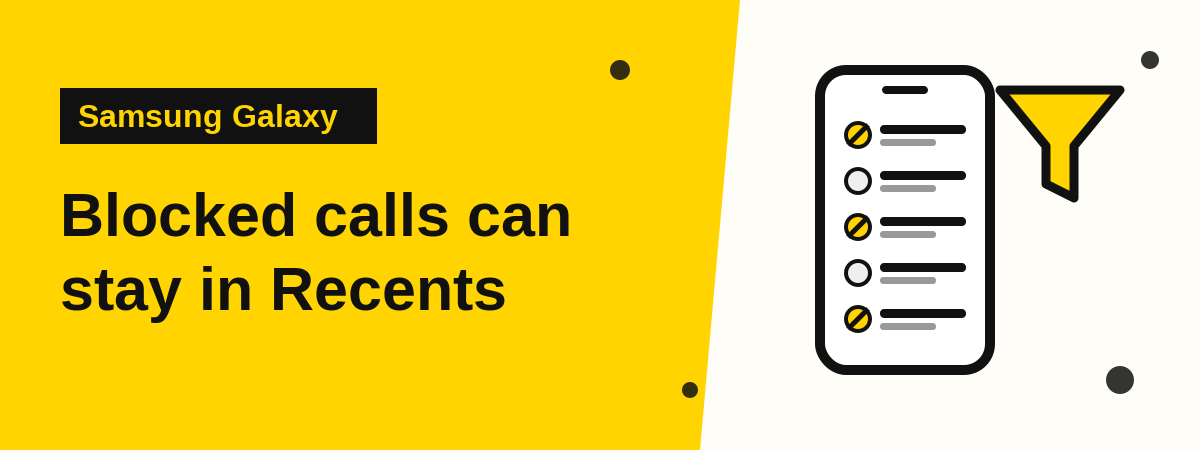
Samsung's Japanese guide says blocked calls stay in Recents. Each entry has an icon for what happened, and the "blocked call" icon means you had blocked the number in advance.
- Open the Phone app and go to Recents.
- Look for entries with the blocked-call icon.
If you don't see them, check the setting that hides them. According to the same guide, Samsung lets you hide blocked calls from Recents.
- On the Recents page of the Phone app, tap the menu button.
- Tap the option to hide blocked calls. Tap it again to show them.
A "rejected" call is a different icon from a blocked call. In Samsung's Japanese guide, a rejected call is one where you pressed the end button while it was ringing. To find blocked calls, look for the blocked-call icon.
Samsung's English help pages (for Singapore, New Zealand and other regions) say: "Calls from numbers on your blocked list will no longer be visible to you." Samsung's regional pages describe this differently. If blocked calls are missing from Recents, check the hide option above.
To see your list of blocked numbers, open the Phone app and tap More options (the three vertical dots) → Settings → Block numbers.
5. Checking texts from blocked numbers
Blocking on Android also covers messages. Android's developer documentation says: "Messages, and calls from blocked numbers are discarded by the platform." So the official help pages don't describe a place to read texts that were sent while a number was blocked. What you can check is who you've blocked.
| App | How to open | What you'll see |
|---|---|---|
| Google Messages | Your profile photo or icon → More options → Spam & blocked | The contacts you've blocked (you can unblock them here) |
| Samsung Messages | More options → Settings → Block numbers and spam | Your list of blocked numbers |
6. Checking your voicemail
Even when a call is blocked, a voicemail may still be left. In many cases your voicemail is held by your carrier, not by your phone.
- Google says: "If visual voicemail is on, blocked callers cannot leave voicemails." It doesn't say what happens when visual voicemail is off, and visual voicemail isn't offered by every carrier or in every country.
- Samsung says that to block voicemails from specific callers, you should contact your carrier directly.
- A carrier's spam service may send stopped calls to voicemail. For example, Verizon says that if you don't update your settings, spam calls go to voicemail by default.
Calls stopped by a carrier's spam service may never reach your phone. In that case, check your carrier's app or help pages to see whether you can view a record.
7. If you want a record of blocked calls
With the Google Phone app's block, you can't look back at blocked calls. If you want to keep track of who called, when, and how many times, one option is a call screening app that keeps a record. On Android, the one app you choose in Settings can decide whether an incoming call rings or is stopped. According to Android's developer documentation, calls stopped by a call screening app are still logged in Android's call log with the "blocked" type. How they appear in your Phone app depends on the phone.
Our sister app NoCall stops calls that match your block settings before they ring and records them in its History with the time and the reason. The reasons shown include Always blocking, blocked hours, over your limit, numbers starting with certain digits, No Caller ID, not in contacts, all incoming calls, and calls from abroad. History shows only calls blocked on this phone, for up to 90 days.
You can choose only one call screening app. If you switch to another app, that app becomes the one that checks your incoming calls.
8. FAQ
- Where can I see blocked calls on Android?
- It depends on where the call was stopped. If you blocked the number in the Google Phone app, calls from it while it was blocked don't show in your call history. Calls stopped by the spam filter stay in your call history. On a Samsung Galaxy, Samsung's Japanese guide says blocked calls stay in Recents with their own icon.
- Is there a way to see how many times a blocked number called?
- With the Google Phone app's block, calls from the blocked period don't show in call history, so you can't tell. On a Samsung Galaxy, you can count the blocked-call entries if they're shown in Recents. If you want a count, use a call screening app that records the calls it stops.
- If I unblock a number, will its earlier calls appear?
- Not in the Google Phone app. Google says: "Any calls you got from the number while it was blocked won't show in your call history."
- Can a blocked caller leave a voicemail?
- It depends on your carrier and settings. Google says blocked callers can't leave voicemails if visual voicemail is on, but it doesn't describe what happens when it's off, and visual voicemail is only offered by some carriers and in some countries. Samsung says to contact your carrier to block voicemails.
- Can I read texts from a blocked number later?
- The official help pages don't describe a way to read texts sent while a number was blocked. Android's developer documentation says messages from blocked numbers are discarded. In Google Messages, Spam & blocked shows who you've blocked and lets you unblock them.
9. Summary
Whether you can check blocked calls later depends on where they were stopped. The Google Phone app's block keeps them out of call history, Samsung's Phone app can keep them in Recents with an icon, the spam filter keeps them in call history, and a call screening app keeps them in its own history. Voicemail is held by your carrier, so a message may still be left even when the call is stopped.
- Numbers blocked in the Google Phone app: calls from the blocked period can't be seen. The list is under Settings → Blocked numbers.
- Spam filter: calls stay in call history.
- Samsung Galaxy: blocked calls can stay in Recents with an icon. If they're missing, check the option that hides them.
- Texts: messages from the blocked period can't be read later. Google Messages shows who you've blocked under Spam & blocked.
- Voicemail: check with your carrier.
- Want a record: use a call screening app that logs what it blocks.
If a blocked number keeps getting through, see why a blocked number is still calling. For how to block a number in the first place, see how to block a number on Android.
NoCall: Blacklist Call BlockerLogs blocked calls with the time and reason.
NoDial: stop calling that numberBlocks outgoing calls only. Emergency calls are never blocked.
Sources
- Google Phone Help, "Block or unblock a phone number" (automatic decline, calls from the blocked period don't show in call history, visual voicemail tip, list of blocked numbers) support.google.com
- Google Phone Help, "Use caller ID & spam protection" (spam filter, call history and voicemail, devices with automatic Call Screen) support.google.com
- Google Phone Help, "How to check your voicemail" (visual voicemail only with some carriers and countries) support.google.com
- Android (Google), "How to Stop and Block Spam or Unwanted Calls on Your Android Phone" (blocking unknown/private numbers and missed calls in history) android.com
- Google Messages Help, "Block senders & report spam in Google Messages" (Spam & blocked) support.google.com
- Samsung Support (Japan, in Japanese; title translated), "How to block calls from specific numbers" (Block numbers, hiding blocked calls) samsung.com
- Samsung Support (Japan, in Japanese; title translated), "Using the Phone app on Galaxy A20/A21" (Recents icons: rejected calls and blocked calls, hiding blocked calls) samsung.com
- Samsung Support (Singapore), "How to Block Certain Incoming Calls on Your Galaxy Phone" (calls from blocked numbers no longer visible) samsung.com
- Samsung Support (US), "Block a phone number or contact on your Galaxy phone" (blocking numbers, Samsung Messages blocked list, voicemail through your carrier) samsung.com
- Android Developers, "BlockedNumberContract" (calls and messages from blocked numbers are discarded) developer.android.com
- Android Developers, "CallScreeningService.CallResponse.Builder" (calls stopped by a screening app are still logged as BLOCKED_TYPE) developer.android.com
- Android Developers, "CallScreeningService" (the single screening app chosen by the user) developer.android.com
- Verizon, "Call Filter FAQs" (spam calls go to voicemail by default) verizon.com
Phone makers and carriers change these menus over time. If a step doesn't match what you see, check the maker's or carrier's current help page.
Related apps
NoDial: Block Outgoing CallsBlocks calls to numbers you choose
NoCall: Blacklist Call BlockerBlock unwanted calls before they ring.
 NoSnoop: WiFi Security CheckerChecks if the Wi-Fi you're on is safe
 NoLinkTrap: Scam Link CheckerSee where a link really goes before you open it